
Introduction
Cooperlink Release May '26 - version 2026.1 - Improved viewer, Custom statuses, Metadata on folders, Embedded powerBI, Photos, ...

Take contact with your account or success manager for more information. Note: the availability of these features depends on your subscription. Some features may be subject to deferred deployment. In the Cooperlink app, please click on "Help > About Cooperlink" to have more information about the version you are currently using.
Documents
Viewer v2
The document viewer has been completely redesigned to give you better visibility:
- The left-hand sidebar displays all versions and their status.
- A timeline shows the document's lifecycle from the original file through the various workflows.
- The right-hand sidebar adapts according to the document's lifecycle that you select.
This new viewer supports PDF, image, and Word formats. It will support DWG format very soon.

Value list with colors & icons
You can now add an icon and apply a color to each element of your value lists (metadata).

Preset document category & metadata per folder
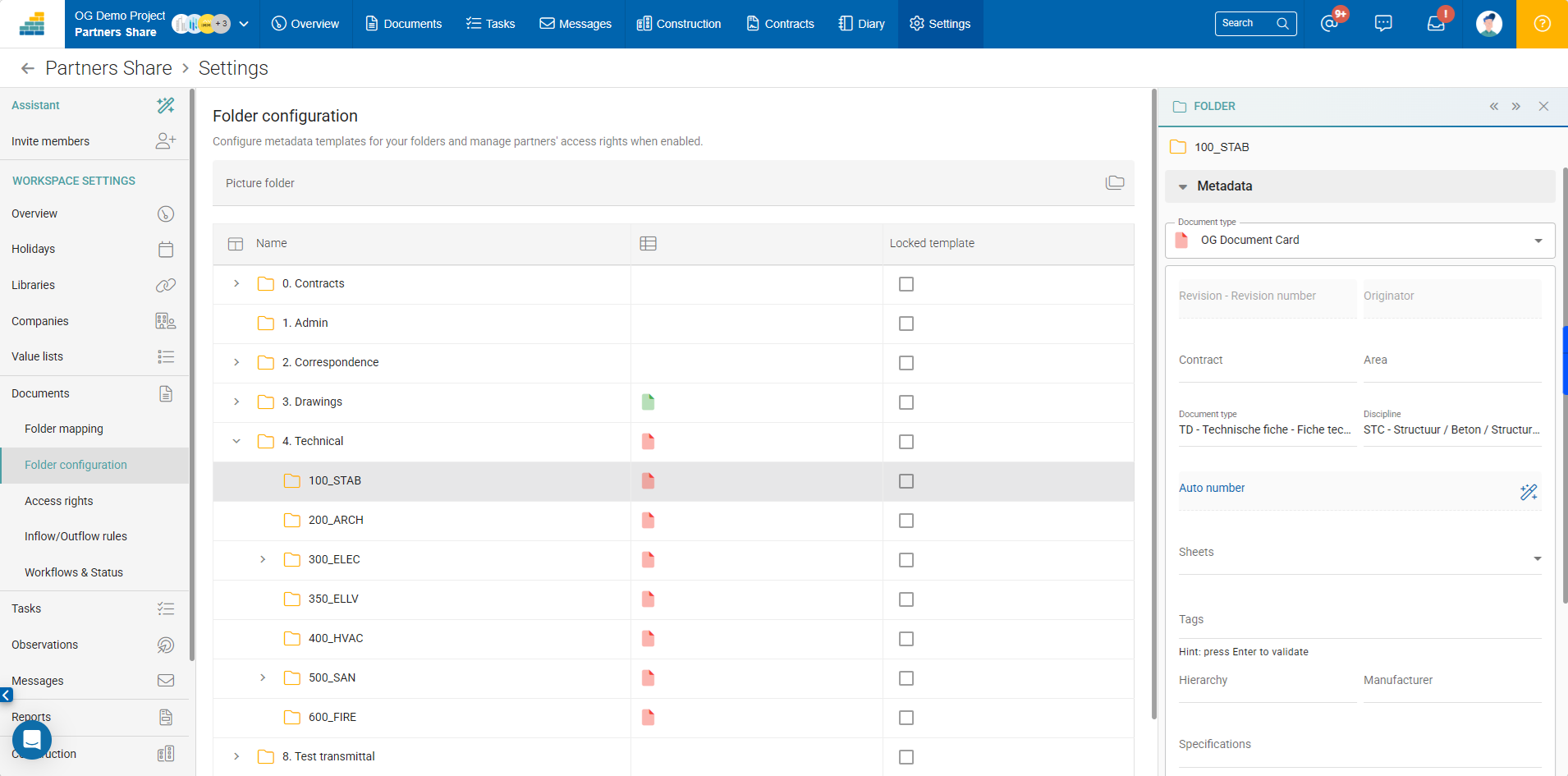
Establish document categories (templates) (e.g., General Documents, Drawings, Datasheets, Correspondence). Assign them specific metadata and naming conventions.
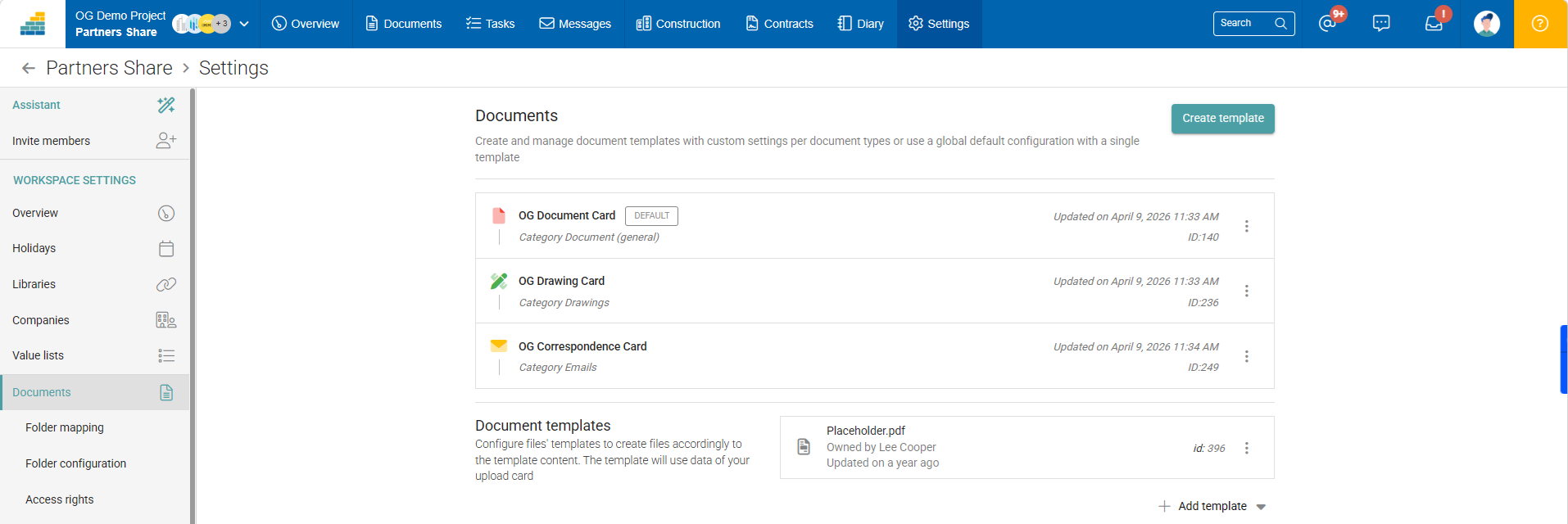
Next, the Folder configuration tool allows you to apply a category per folder and predefine metadata values. For example, in folder 4. Technical / 100_STAB, the document type is set to TD (Datasheet) and the discipline is set to STC (concrete structure).
Digital signature with 3rd parties (eg. contracts)
Cooperlink's workflow engine now supports digital signatures, including those involving third parties without access to Cooperlink. To enable this, add the "Task over portal" and/or "Notify" actions to validate and share your documents with third parties who do not have access to a Cooperlink workspace.
Various
The following improvements have also been made:
- The document title is now directly editable in the metadata card (see previous illustration, right-hand sidebar).
- During upload, a title suggestion is offered to the user.
- Fixed SharePoint “open from source” functionality
- Corrected metadata extraction during sync manager attachment processing
Workflows
Sequences with custom statuses
Build workflow sequences with personalized individual responses and global statuses. Weighting and mapping rules allow you to define priorities. For more information, please contact your Account Manager.
Cooperlink also supports adding custom statuses when the workflow starts and aborts prematurely.

Reporting with custom statuses
The colours and icons of the custom statuses are also visible in the various screens of the application, including the workflow reporting screen.

Various
The following improvements have also been made:
- Ability to download workflow cover page without original document(s)
- Allow to sort on document title or filename
- Long comments are no longer cropped in excel exports
- Improved observation creation error messaging
- Allow to add "for information" contributors in workflow design
Messages
Visitor portal
Third parties without access to Cooperlink workspace can now directly view documents received through the portal. The portal also supports document validation.

Various
The following improvements have also been made:
- Enable messages at folder level
- Fixed drag-and-drop uploads for portal message at internal space level
- Fixed drag-and-drop between 2 different browser windows
Internal space / Project
The following improvements have been made:
- Allow to enable / disable internal space (turquoise menu)
Reporting
Reporting API
We've extended the capabilities of our Excel reporting engine to expose it as a JSON API. You can now create your own query schema, and the data will be returned to you in JSON format via our reporting API. For more details, please contact your Account Manager.
Embedded powerBI
Integrate one or more Power BI visuals directly into Cooperlink.

Field
Photos capture
Capture photos using your mobile device, annotate and enrich them with metadata, and upload them to Cooperlink with ease.

Settings
The following improvements have been made:
- Fixed project duplication issues
- Improved folder unmapping behavior and hierarchical attached folder handling
Connect
The following improvements have been made:
- Enhanced batch execution management with aborted states, execution settings, improved filtering, and initialization updates
- Improved batch execution reporting, attachment handling, mail batch stability, and race condition prevention.
Technical
The following improvements have been made:
- Amazon S3 connector support with configurable AWS region
- Microsoft Graph API for Exchange connector
- Improved reset password process for guest users
- The whole application is now fully available in foreign languages
- Improved Activity Inbox performance with query optimization and indexing
- Added ability to log out from mail connectors
What is your project?
Talk to an expert
Tell us more about your project and needs. Our experts will answer your questions within 24 hours.

Axel Palmaers
CEO Cooperlink