Introduction
Packages: approve interdependent documents together
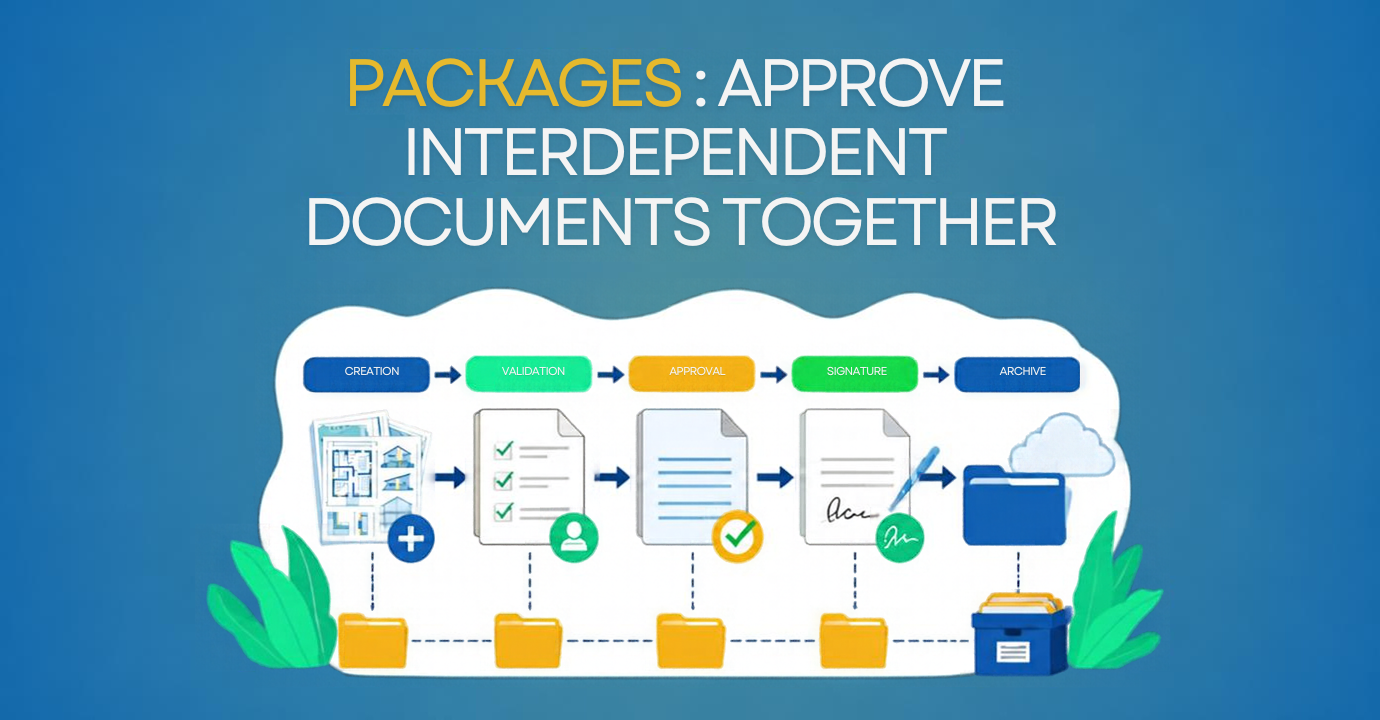
A foundation drawing cannot be read without its structural calculations. The bill of quantities (BOQ) relies on both, as do the reinforcement details. Yet on most projects, these documents are sent for approval separately, on different dates.
The Packages feature in Cooperlink Construction Hub brings these technical documents together in a single submission.
The isolated approval trap
Monday, the structural calculations are uploaded. Wednesday, the drawing. Thursday, the engineer revises the calculations following a new soil report. Friday, the drawing is approved… based on Monday’s calculations.
The error is invisible. The reviewer, an independent checking engineer, for example, never had both documents in front of them at the same time. The inconsistency will surface during design coordination or, worse, on site.
When each document follows its own approval route, reviewers check isolated pieces. Meanwhile, the site manager spends Fridays manually piecing together what has been approved and what is still missing.
With packages, these documents stay together: they are submitted together, reviewed together, and, if one changes, the whole set goes back for approval.
The package: a logical grouping
A package is a set of linked documents submitted together for approval. The originator creates it, names it (e.g. “Foundations package”) and adds the relevant documents.
Two approval options:
- Package-level approval: the reviewer approves the entire package in a single decision.
- Document-level approval: you launch one workflow per document, while keeping the overall view.
Choose package-level approval when the set forms a single technical whole, reviewed by the same approver. Opt for document-level approval when approvers differ by discipline: the overall view remains available.
Your organization, your rules
Cooperlink does not impose any particular breakdown. Grouping follows your trade or your organization’s rules. Three approaches stand out.
- Technical consistency: drawing, structural calculations, and BOQ form a single package. If one changes, the whole set goes back for approval. This keeps everything consistent.
- Progress tracking: one package per scope of works (structural works, MEP) or per milestone (detailed design submission, deliverables due on a given date). The contractor finds their documents without digging through the folder tree, and each package becomes a checkpoint before moving on to the next stage.
- Financial: the package corresponds to a payment installment, released once the full package is approved.
Track progress in real time
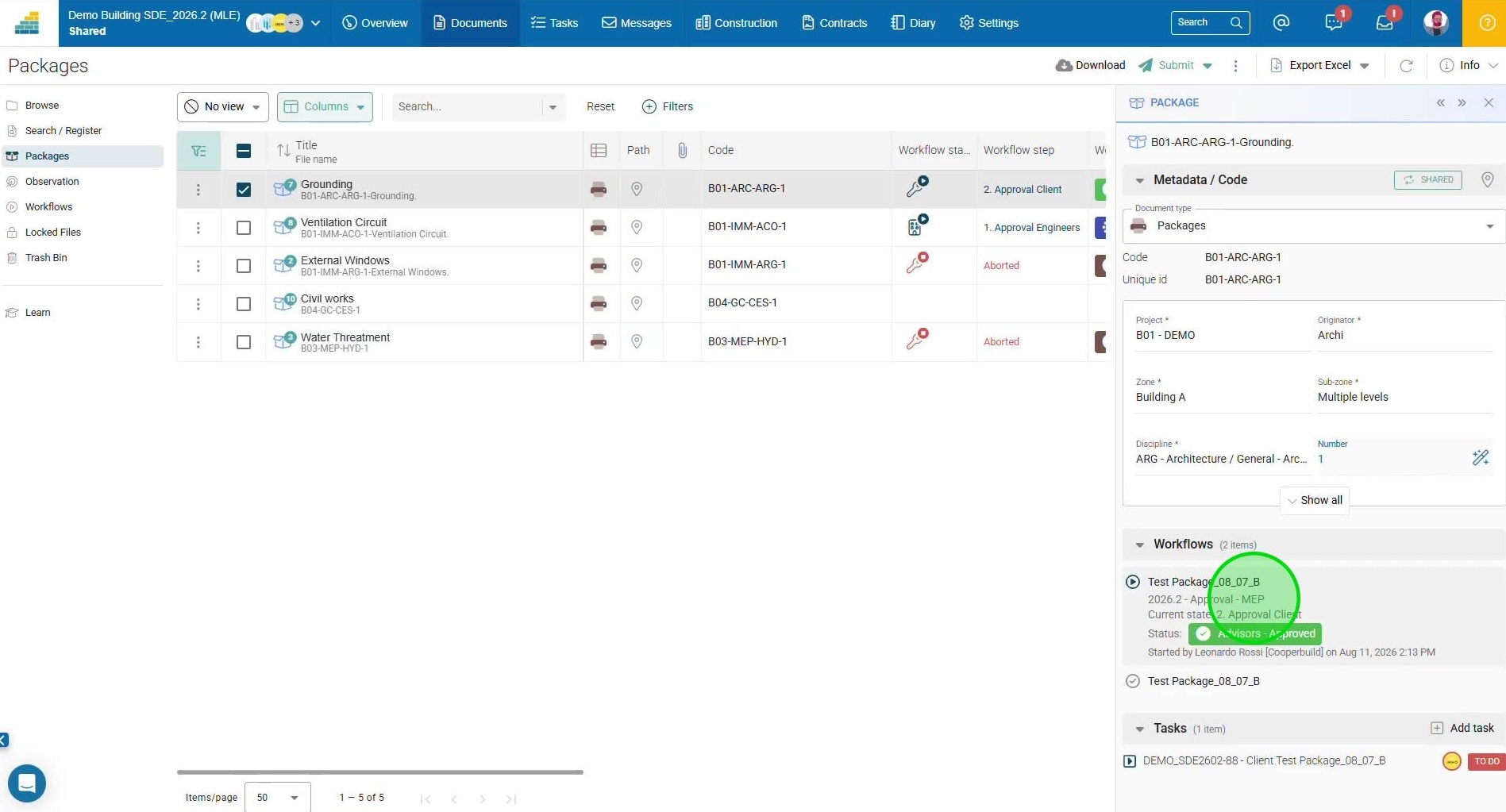
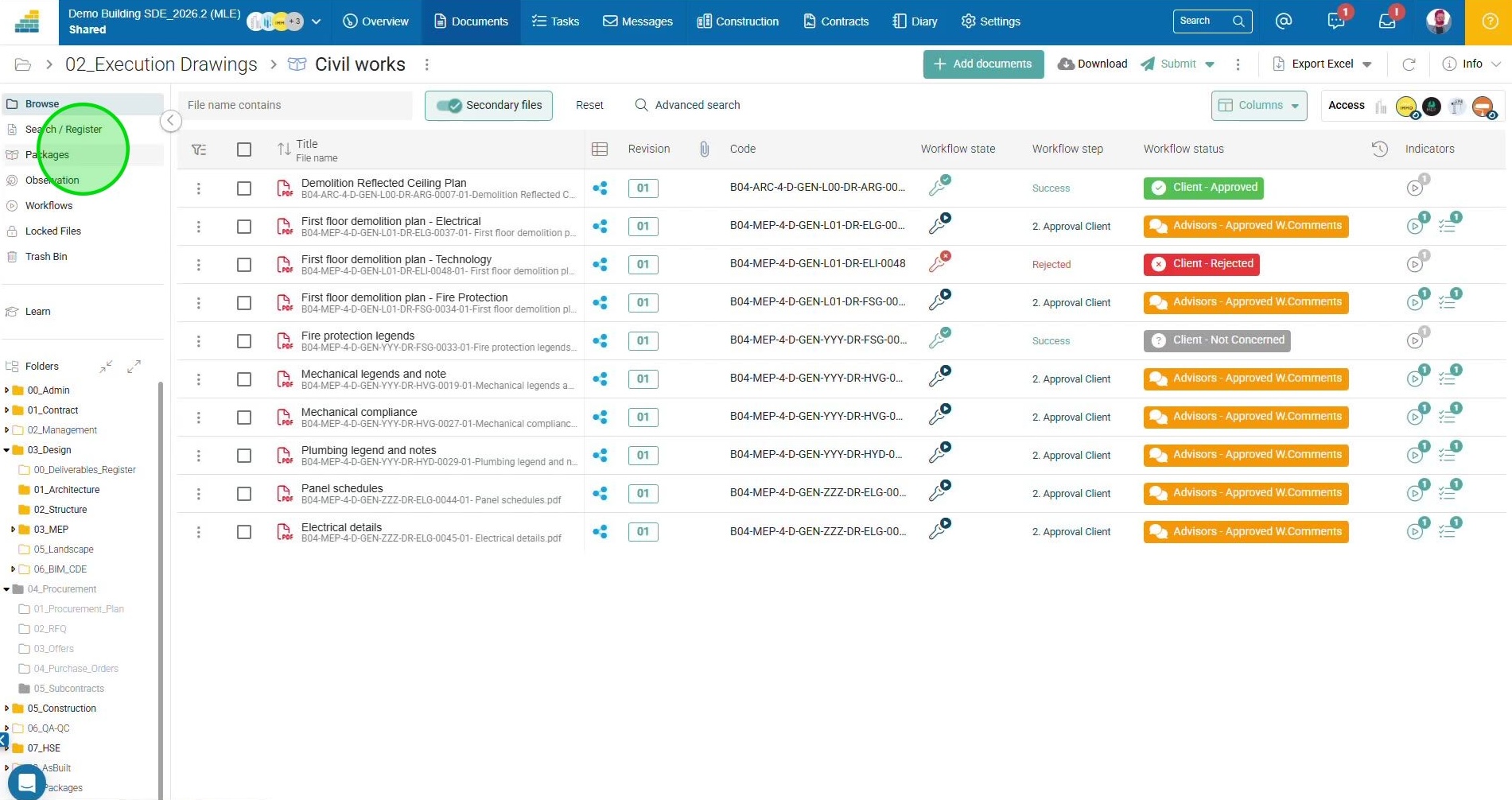
Within a package, the approval status of each document is shown in the right-hand columns. You can see at a glance which stakeholder is holding things up, and on which documents.
For each step of the approval route, you can see who responded, with which comments, and on which revision of the document. In case of dispute, the question “What was approved, and when?” is answered in two clicks.
A full document list on the package cover page is currently in development.
What about your project?
Already a client: your customer success manager can help you set up your first packages. Find the dedicated article in the Academy.
Not a client yet: Request a demo !
What is your project?
Talk to an expert
Tell us more about your project and needs. Our experts will answer your questions within 24 hours.

Laure Bouvier
Project Manager