

Introduction
Cooperlink Release August '26 - version 2026.2 - Packages, Field, BIM Laser Measurement, Excel add-in, Mobile app, ...
Take contact with your account or success manager for more information. Note: the availability of these features depends on your subscription. Some features may be subject to deferred deployment. In the Cooperlink app, please click on "Help > About Cooperlink" to have more information about the version you are currently using.
Documents
Packages
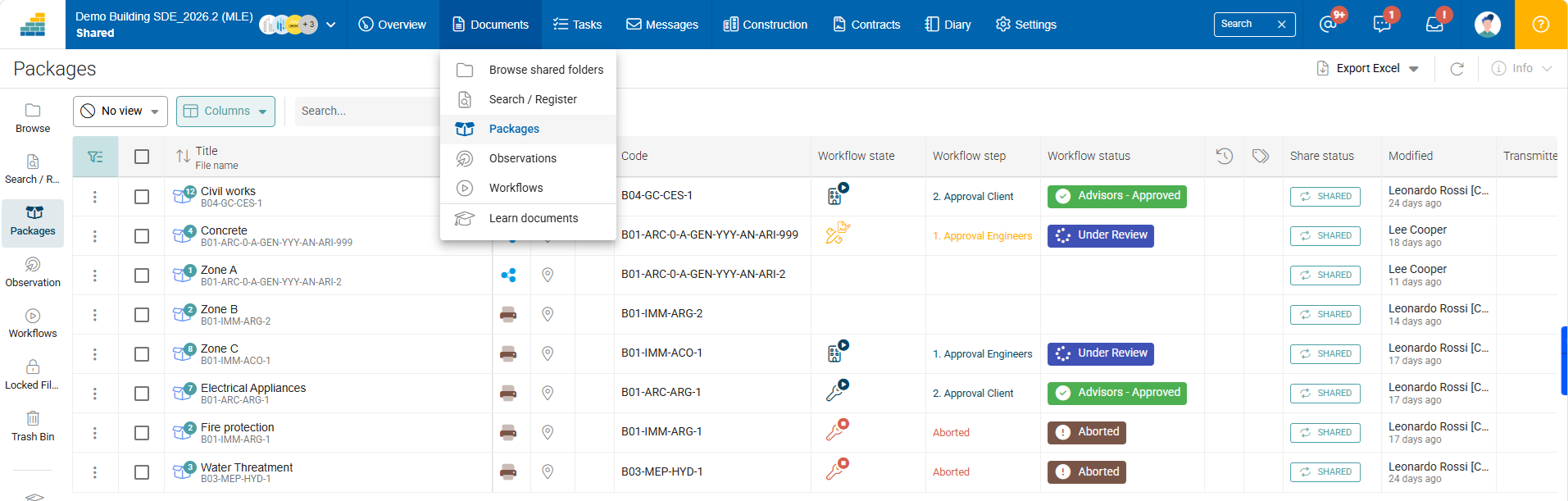
A package is a logical collection of related documents, drawings, specifications, and data grouped together for a specific purpose, workflow, or project milestone. Instead of sending 50 loose files and hoping the recipient understands how they relate to one another, a package binds those files together into a single, manageable unit with clear instructions, a shared status, and a unified audit trail.
In other words, a package can, for example, bring together drawings, calculation notes and technical data sheets relating to the same discipline or element of the work (e.g. foundation reinforcement).
Packages behave like files, except that they themselves contain files. They can be added to folders and are therefore governed by the access rights of the folder in which they are saved.
Packages can be used in workflows. In this case, two options are possible:
- Approve document revisions individually (with one coverpage per document)
- Approve document revisions together (with a single coverpage for the package) - In this case, the package is approved as a whole set.
Observations
Select 2 or more observations and update them in a single operation (bulk update, or bulk complete).

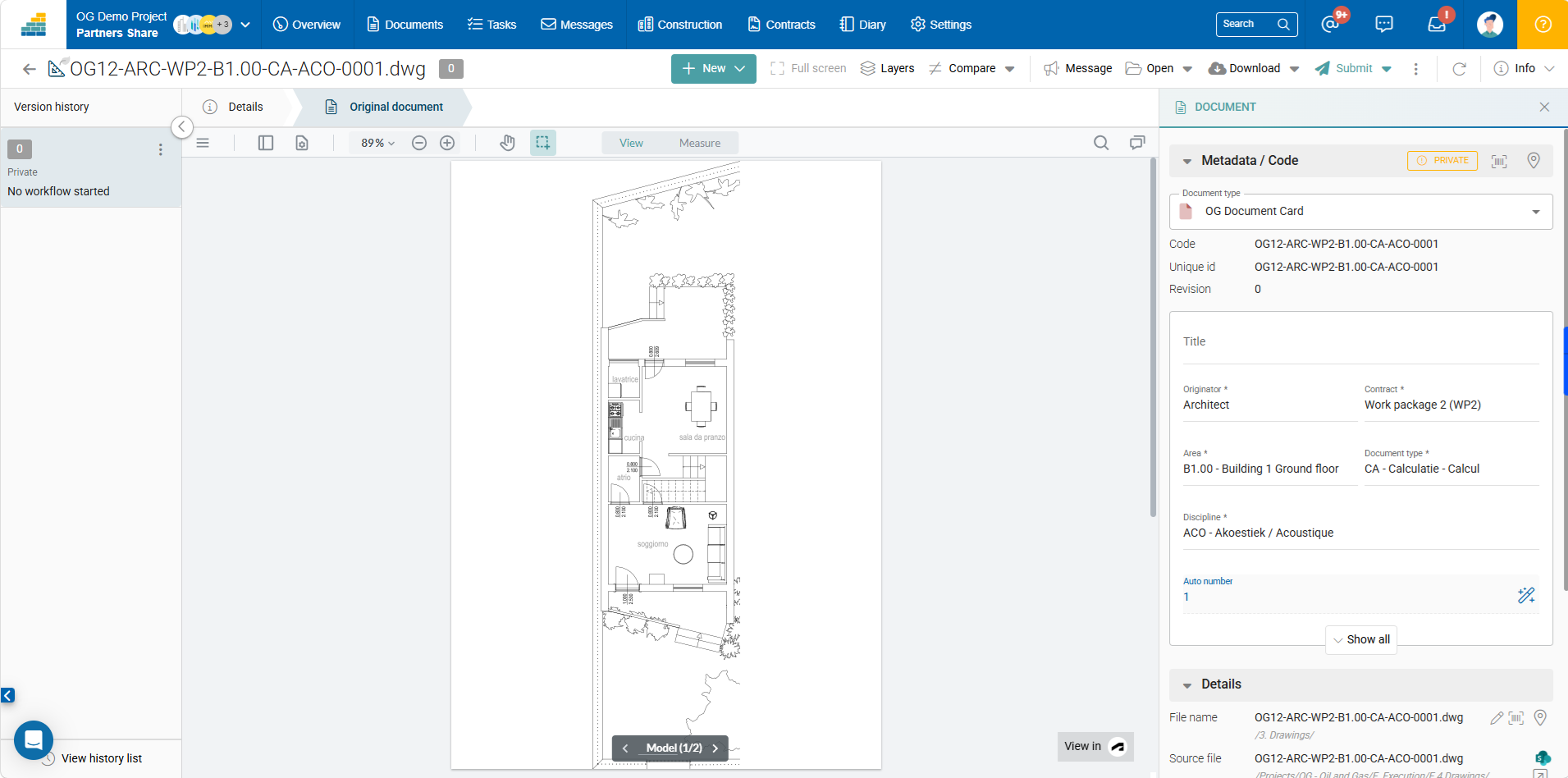
Default DWG Viewer
DWG files can be displayed in the default viewer in Cooperlink. User can switch to Autodesk Viewer when Enabled.
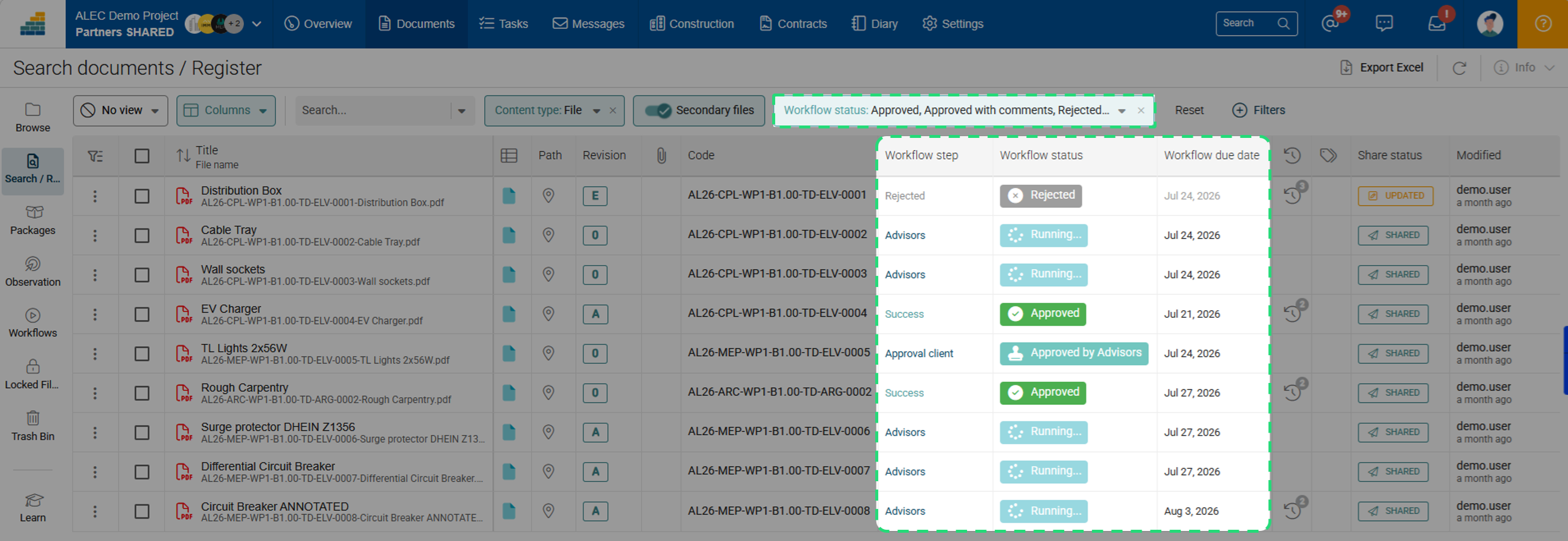
Workflow information in Documents Register
Display workflow information (Status, Creation Date, Due Date, Completion Date), or use them as filters in Documents Register. The status is displayed in color when it applies on the current revision. The status is greyed when it applies on a previous revision.
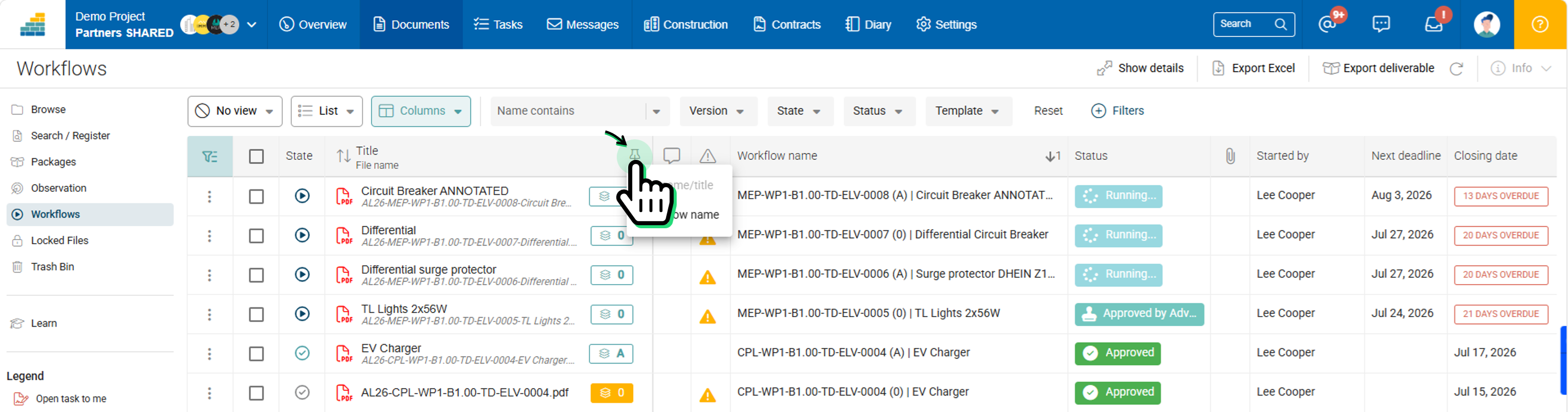
Workflows
Choose sticky column
The first columns of the workflow list are fixed to allow for easier horizontal scrolling. In this sticky area, some users prefer to see the workflow name, while others prefer to see the document name. Click the appropriate icon to choose the information you prefer to display in the sticky area.
Notify action allows dynamic text
In a workflow sequence, Notify actions can be adjusted dynamically using variables.
Construction / BIM
BIM Laser measurement
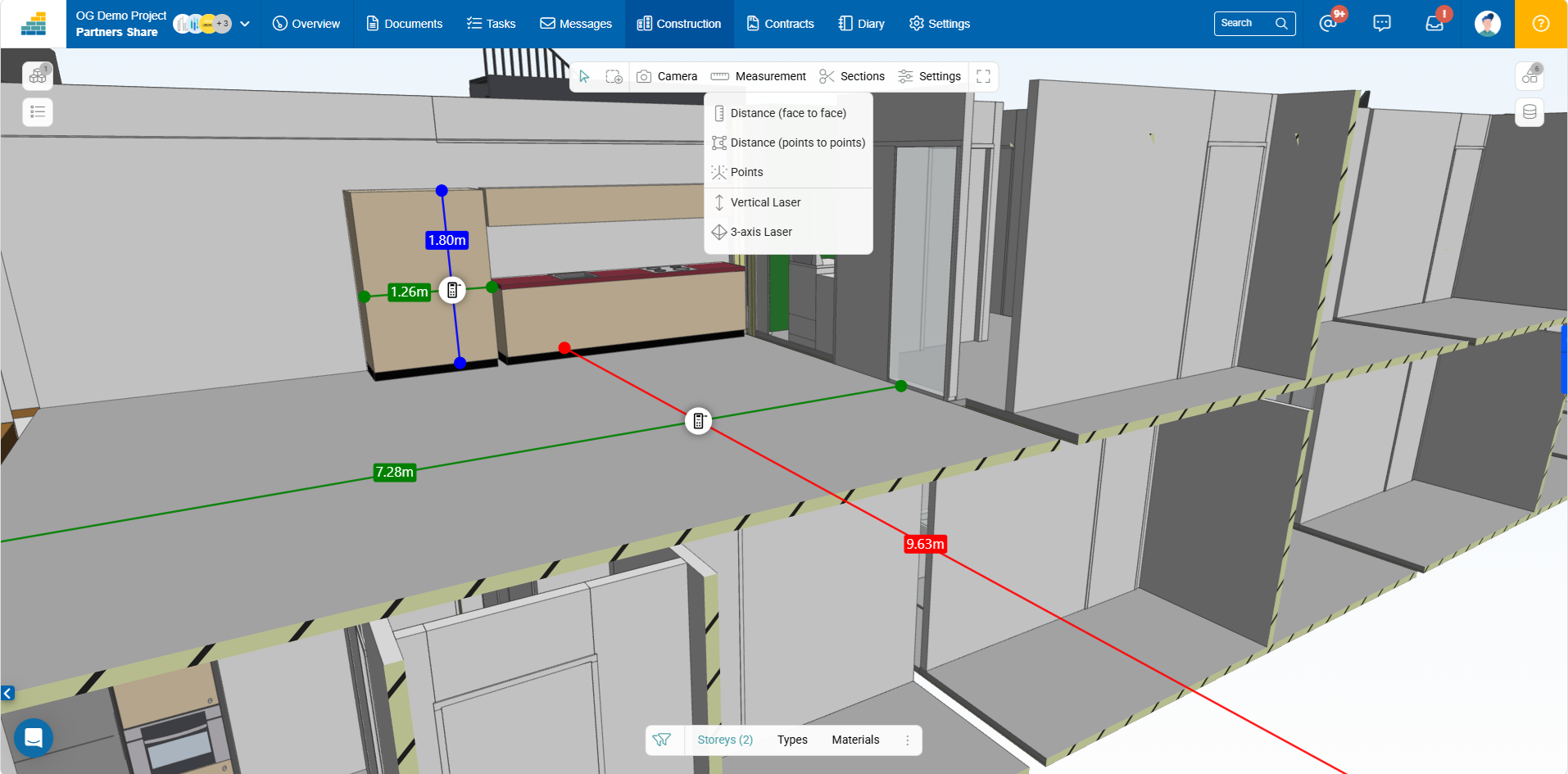
Simplify your measurement operations with our brand new 3-axis laser. This tool allows you to perform quick but accurate measurements without external BIM software.
Move the laser measuring tool into the BIM model and it instantly displays the dimensions on 3 axes.
Viewer improvements
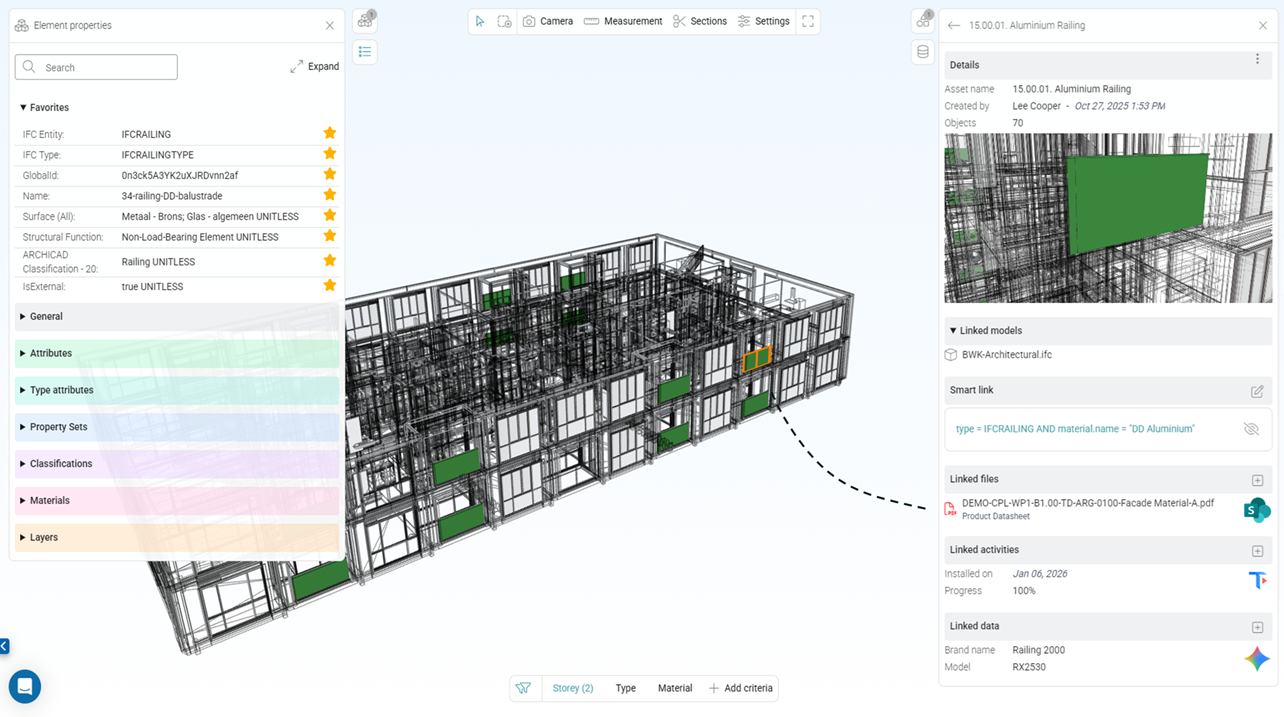
Object hierarchy
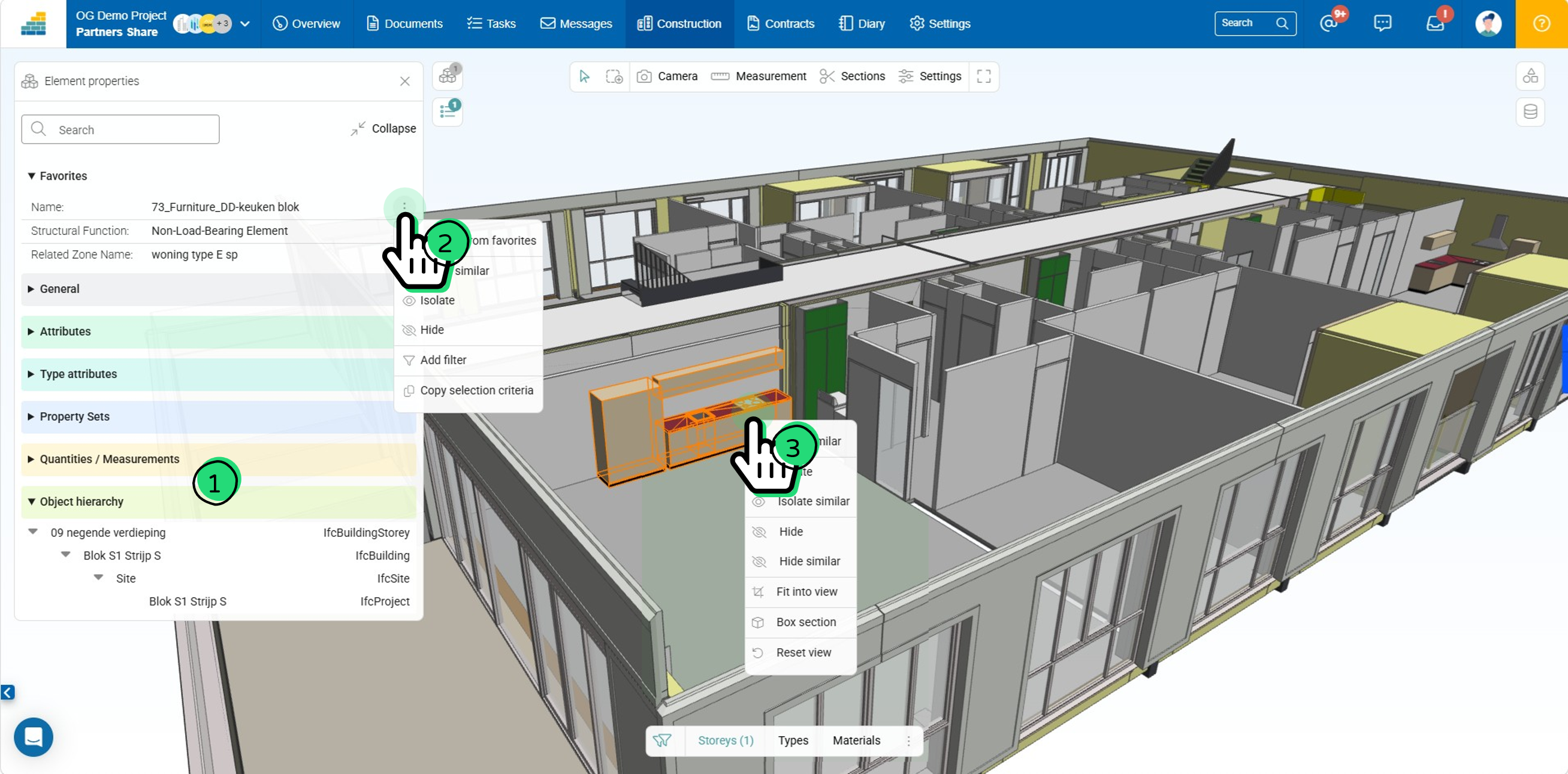
The object IFC hierarchy is displayed in section Object hierarchy (see bullet 1 in illustration).
Basic object quantities
Extracted quantities from object geometry calculation performed by Cooperlink's 3D engine is available under Quantities / Measurement sections in object properties (see bullet 1 in illustration)
Popup / Property menu
Right-click on an object to access additional options - e.g., hide/show, isolate, highlight, etc. (see bullet 3 in illustration). This menu is also available for each property of the object (see bullet 2 in illustration).
Others
The following improvements have also been made:
- Filters have been improved (eg. removal of useless IFC entities)
- Support IFCZIP extension
- New icon for sections handling
Field & Mobility
The Field app is designed to offer specific features for field teams. In the previous release, we deployed the photo capture and annotation feature. Our teams are actively working on developing a complete field module that will include:
- Specific access rights for field contributors
- Access only to approved document versions (manually or via workflow)
- Observations/Snagging in lists with access rights
- QHSE Forms in lists with access rights
Discover below some information related to Field & Mobility. But stay tuned. Important additional news will come in a few weeks.
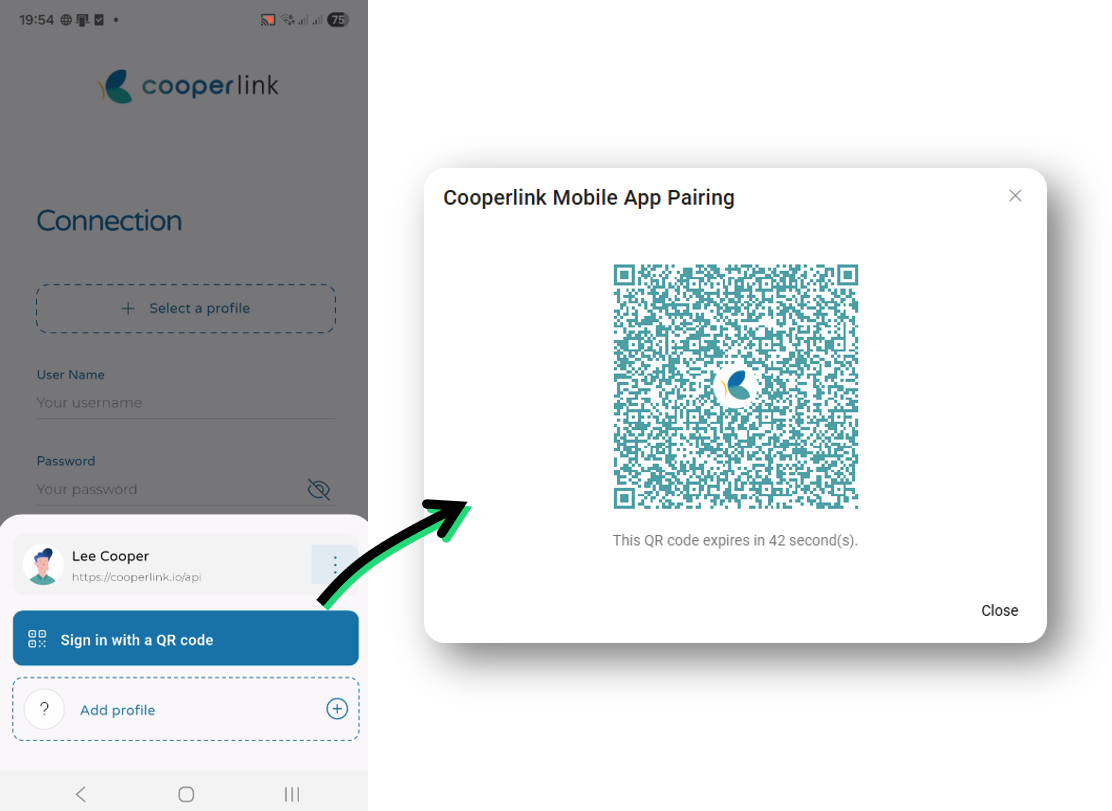
Authenticate on Mobile using QR code
Log in to your Cooperlink account via the web application and use the QR code to create your mobile account and authenticate yourself.
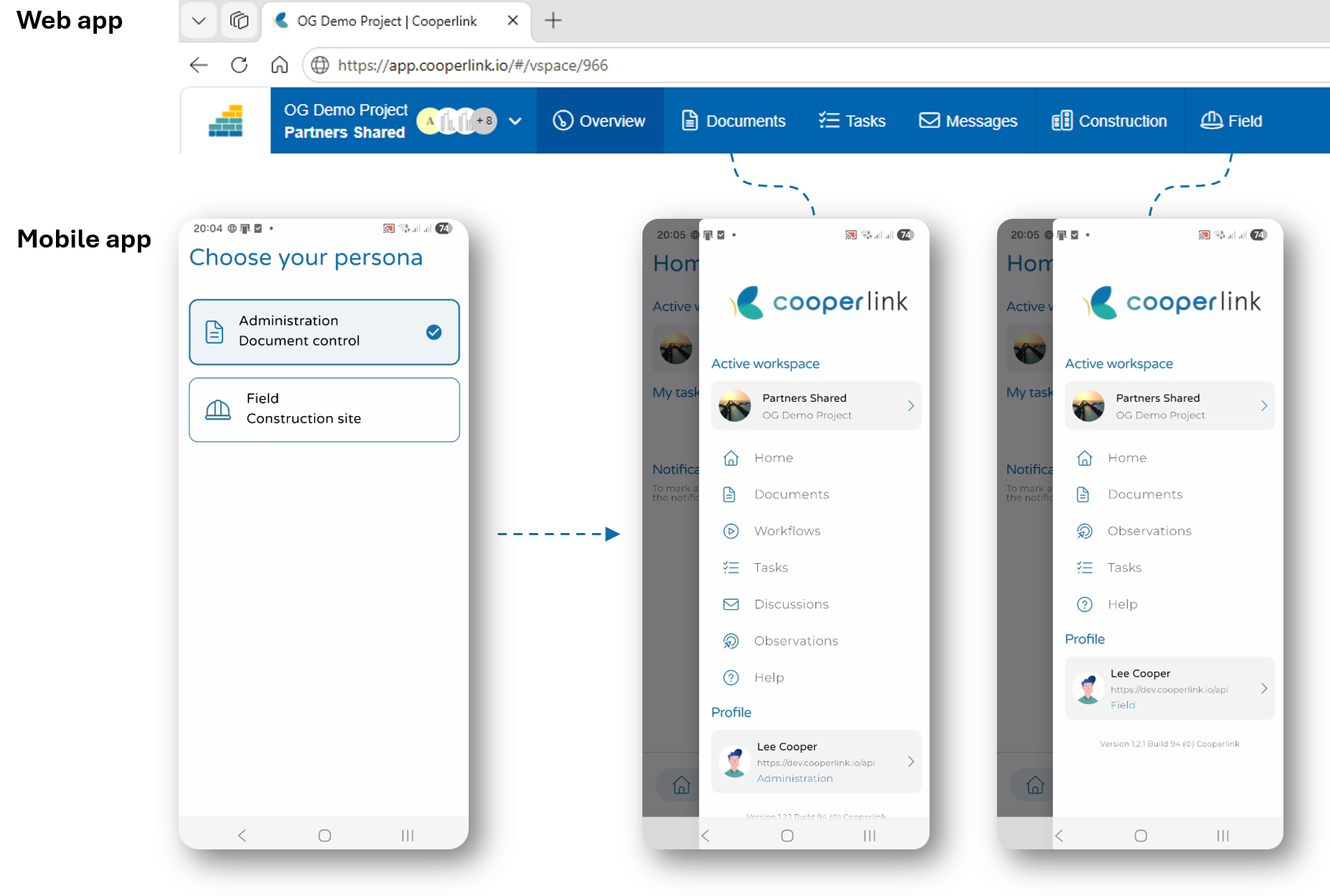
Doc. Control vs Field Profiles
To adapt and facilitate the use of the mobile application, when creating your mobile account, the application will prompt you to choose your profile:
- Document Control (eg. project manager, architect, engineers, ...): this profile provides access to Cooperlink's Documents, Tasks, and Messages modules (including observations and workflows). This profile is intended for administrative or management staff. It grants access to all document versions, approval workflows, etc.
- Field (eg. foreman, workers): this profile provides access to the Field and Tasks modules. This profile is intended for field staff. It only provides access to approved/published document versions, as well as field observations (snagging).
You can always switch between these two profiles in the mobile application.
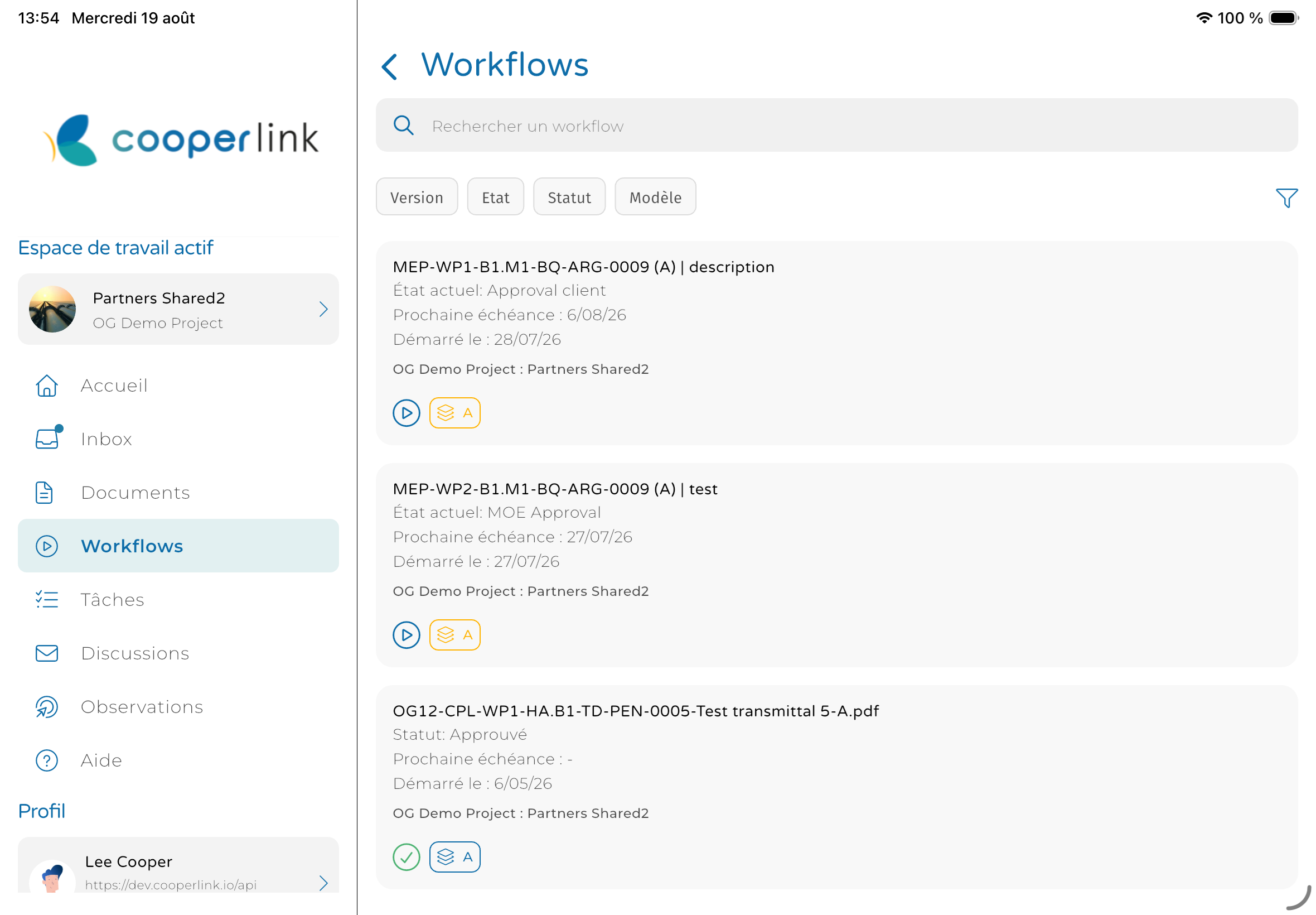
Landscape Tablet mode
The mobile application has been optimized for landscape tablet displays.
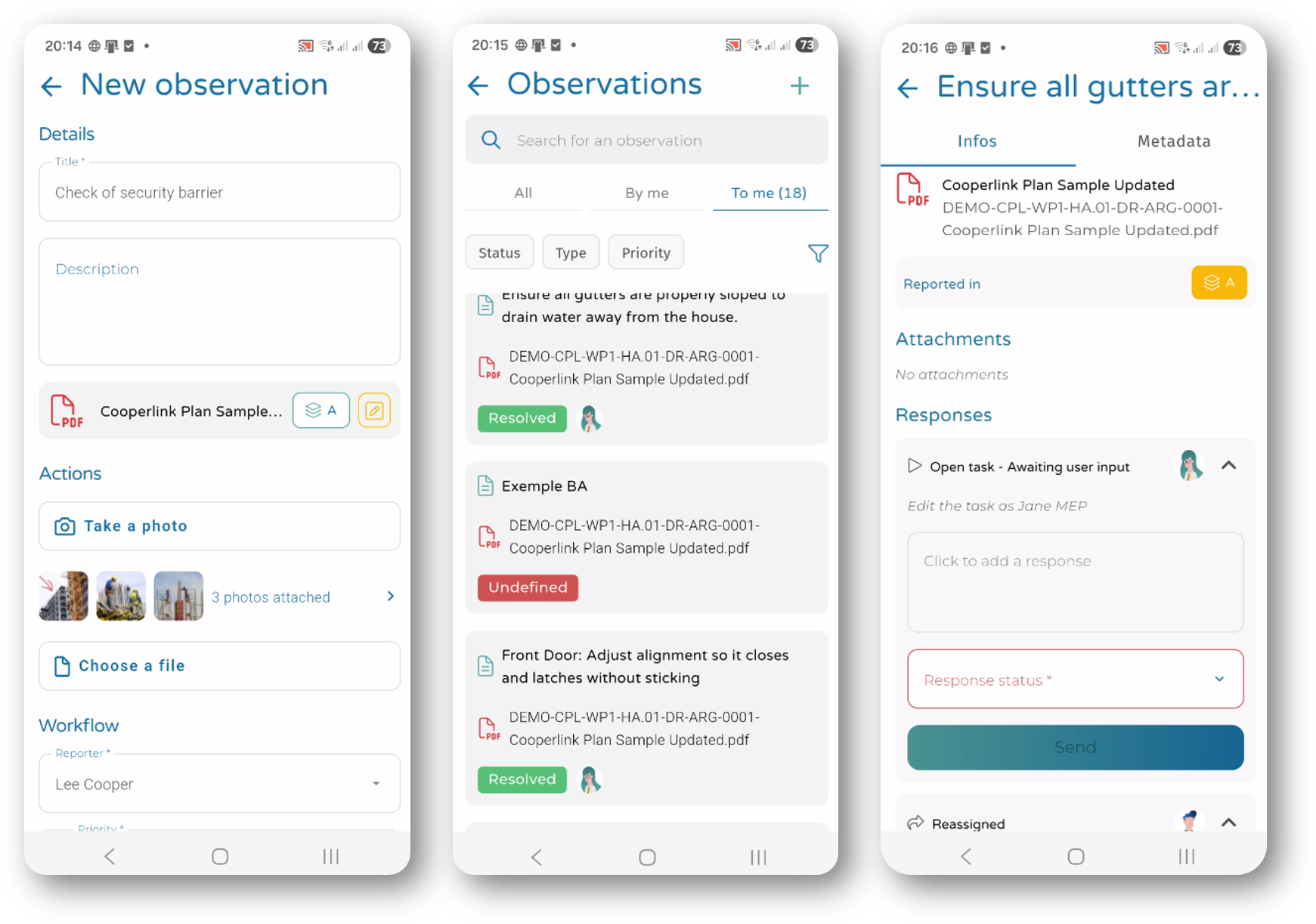
Observations
Create, contribute and manage observations directly from your hands.
Plug-ins / Add-ins
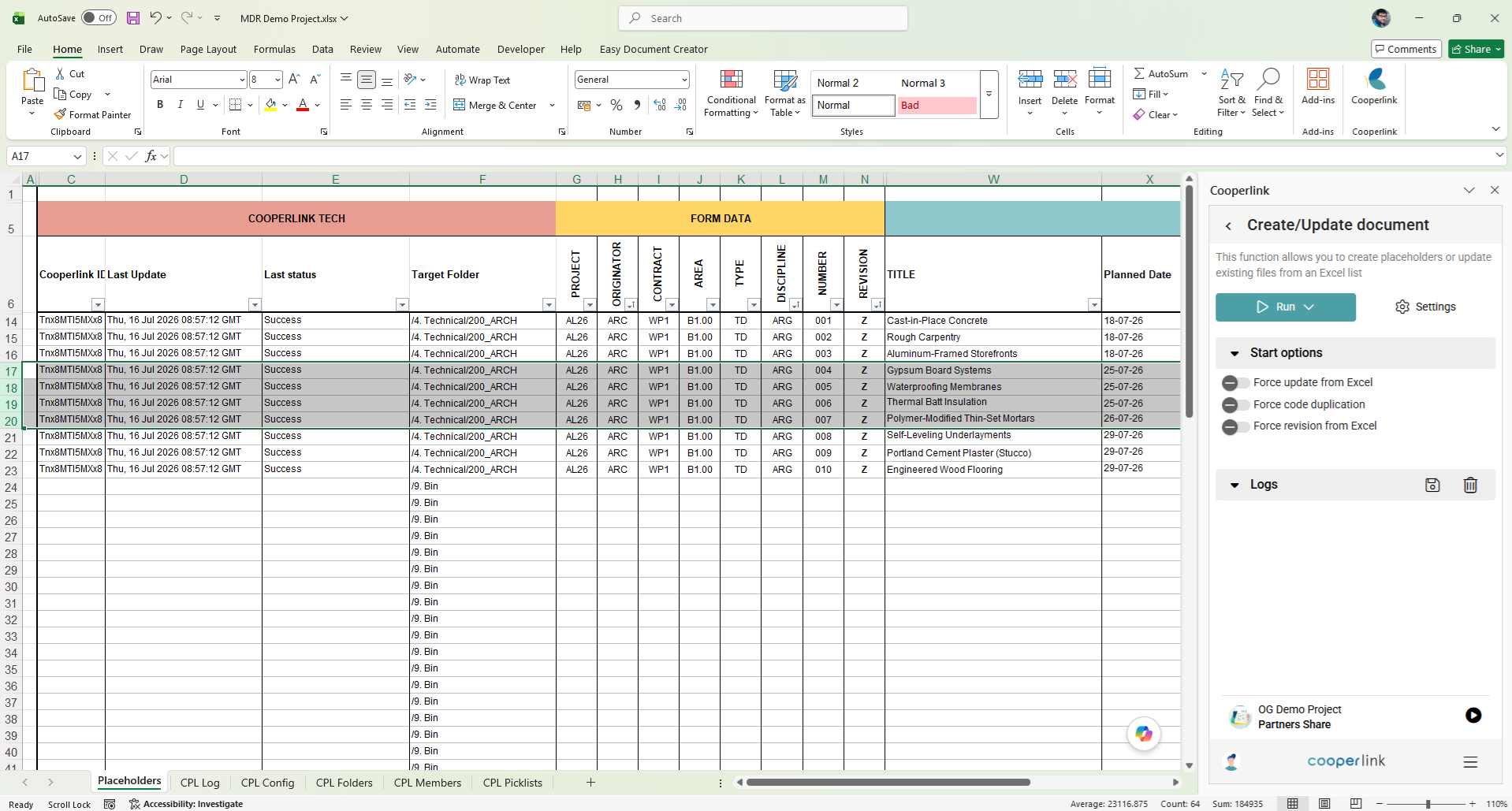
Excel Add-in for lists of deliverables (MDR/MIDP)
The brand new Excel add-in lets you manage your MDR/MIDP (Lists of Deliverables). Specifically, it allows you to create reservations and edit the metadata of existing documents in bulk from an Excel list.
To ensure data consistency and thus avoid errors, the Excel add-in synchronizes your value lists, folder list and Cooperlink user list to the corresponding Excel columns.
SSO Authentication in Outlook / Excel Add-ins (via Microsoft Entra)
Outlook and Excel add-ins now support authentication using your Microsoft Entra account (Single-Sign-On / SSO).
Reporting
API
The reporting API allows data to be extracted from Cooperlink in a format predefined by the requester. The alias principle allows for the standardization of data structures even when project configurations differ.
This new version introduces additional improvements to the reporting API to further standardize data:
- Add * wildcard in workflow actions (eg. action.*.assignees)
- Add timestamp to pageResponse. This allows differential updates using this timestamp as a filter.
- New available tags (see table)
Excel
The following improvements have also been made to the Excel reporting:
- Corrected excel export from folder view
Settings
The following improvements have been made:
- Allow to disable / enable workflow templates
- Import document metadata in workflow template
- When duplicating a workspace from a template, some parameters have been added
Connectors
Application Permission authentication mode has been added to the Autodesk Forma/Construction Cloud connector
Technical
The technical team has introduced significant performance improvements including:
- Message Broker Protocol (cf. customer communication June 2026)
- Multi-threading (improved parallel handling of workspace background jobs)
- Large queries performance
What is your project?
Talk to an expert
Tell us more about your project and needs. Our experts will answer your questions within 24 hours.

Axel Palmaers
CEO Cooperlink