Introduction
Cooperlink Release Jan '26 - version 2025.3 - BIM viewer, Views, Smartphone, CONNECT, ...
This release includes the fresh new features BIM viewer, user-defined views, a brand new CONNECT module, significant User Experience improvements, as well as performance improvements and bug fixes to ensure smoother and more efficient workflows. Read on to discover what’s new and how these updates can help you work smarter with Cooperlink.
Take contact with your account or success manager for more information. Note: the availability of these features depends on your subscription. Some features may be subject to deferred deployment. In the Cooperlink app, please click on "Help > About Cooperlink" to have more information about the version you are currently using.
Construction
The Construction module is a brand new module that will evolve enormously during the year 2026. It is a module dedicated to the building and the construction site (field) with in particular the BIM viewer, assets list, validated drawings, observations, forms and many others.
BIM Interactive viewer
As announced in version 2025.2, Cooperlink's interactive BIM viewer is now available as a commercial BIM license.
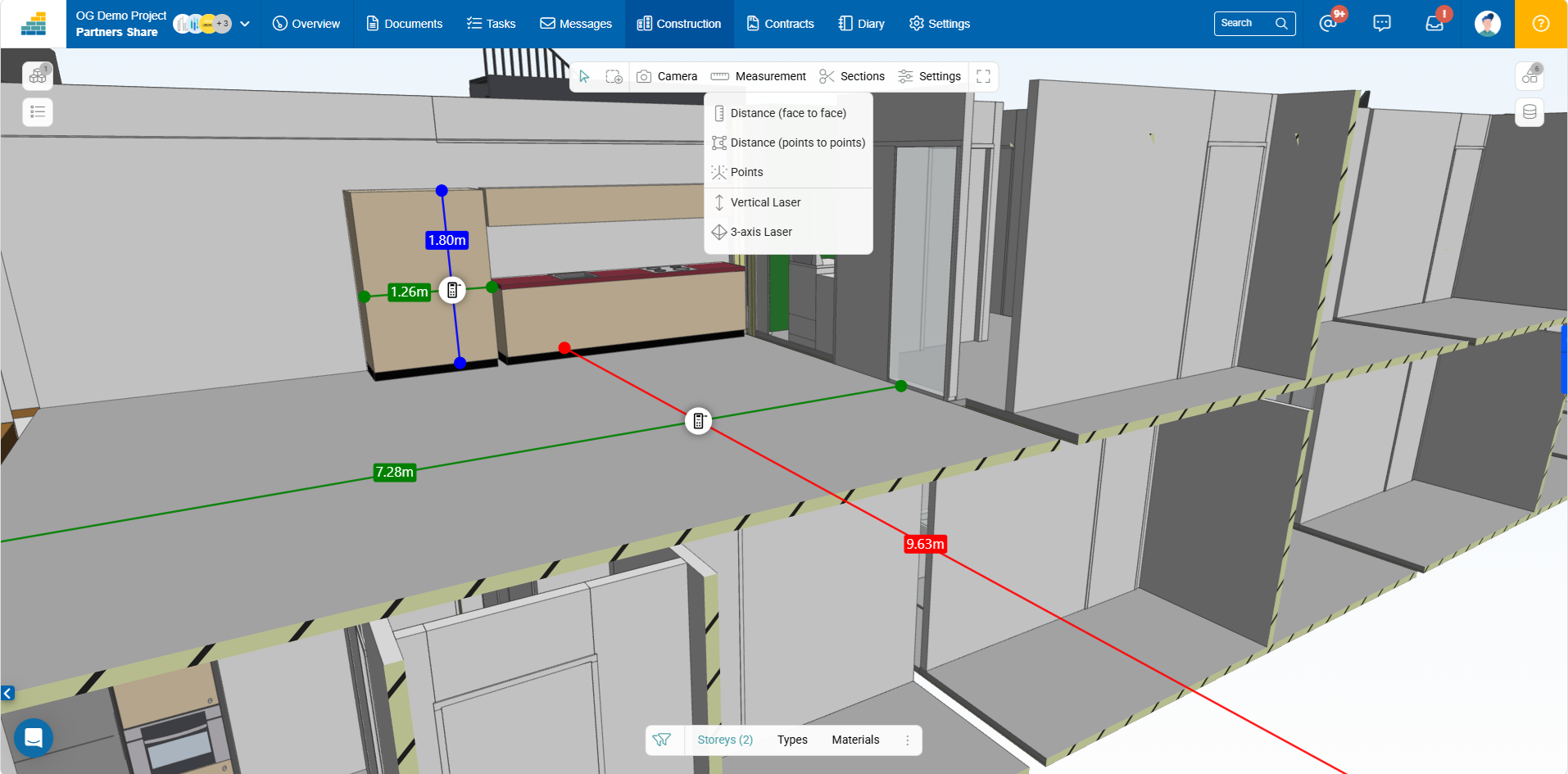
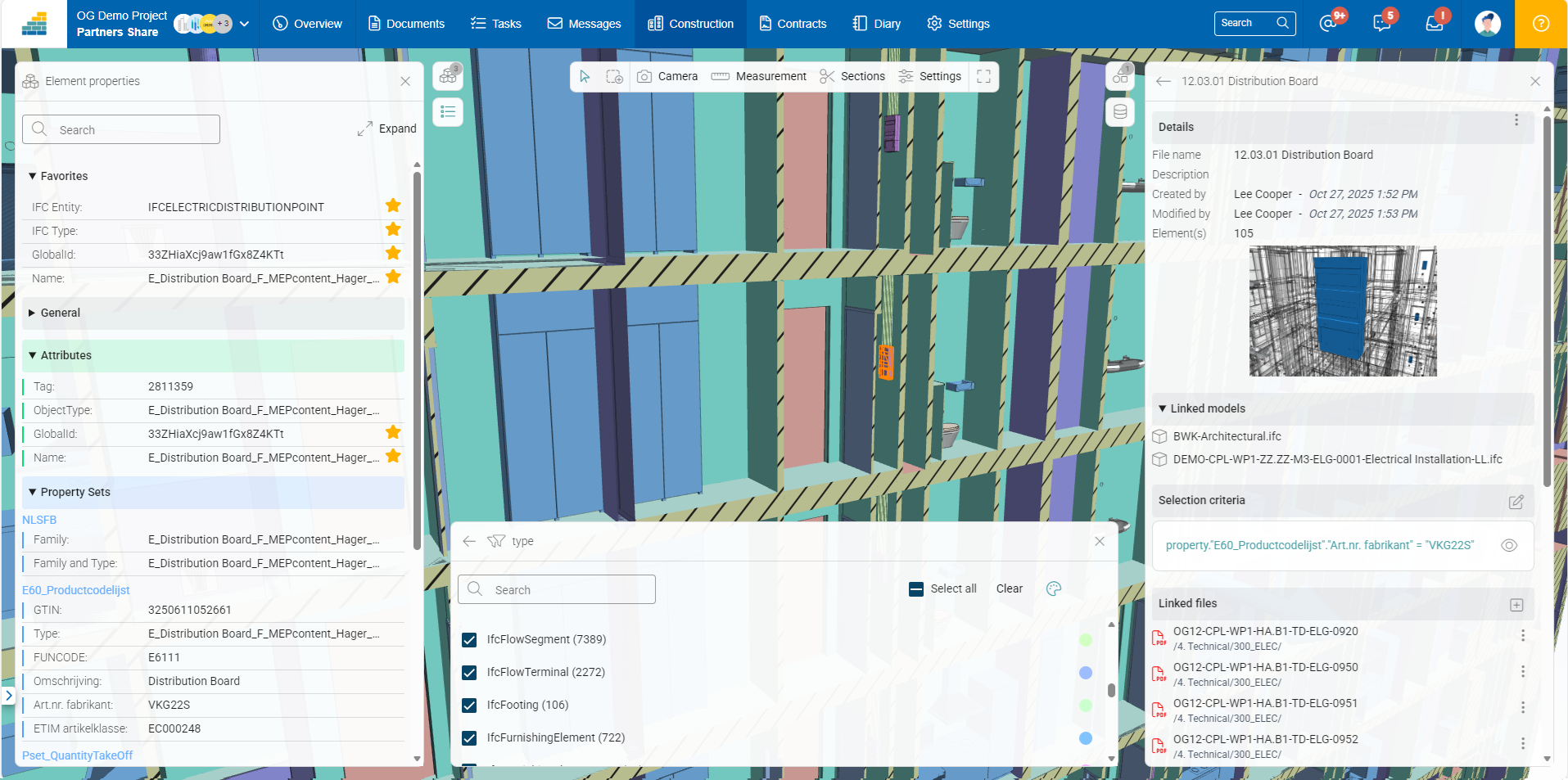
Cooperlink's BIM viewer is fluid even with large models and includes the following features:
- Federated model mode (one or more 3D files)
- Simple and multiple selections
- Object properties with favorites option
- Sections and boxes
- Simple and advanced filters
- Colorization
- Measurements
The workspace owner chooses which models can be shared and with which partners.
In the coming months, the viewer will be enhanced with the ability to display 2D plans alongside the 3D view, or as section plans. It will also be possible to create observations (BCF).
BIM-as-a-Database
Cooperlink's BIM viewer also allows querying the model as a database. This feature enables information extraction from the model. This functionality is currently restricted.
Assets
Acting as a bridge between the construction site and BIM, Cooperlink allows non-BIM experts to enrich the model without changing their workflow and prepare the building for use with minimal effort. For example, brand, model, and technical specifications are semi-automatically associated with objects in the model. The result? A data-rich, usable, and cost-effective BIM model.
Want to learn more? Contact-us
Documents
Views
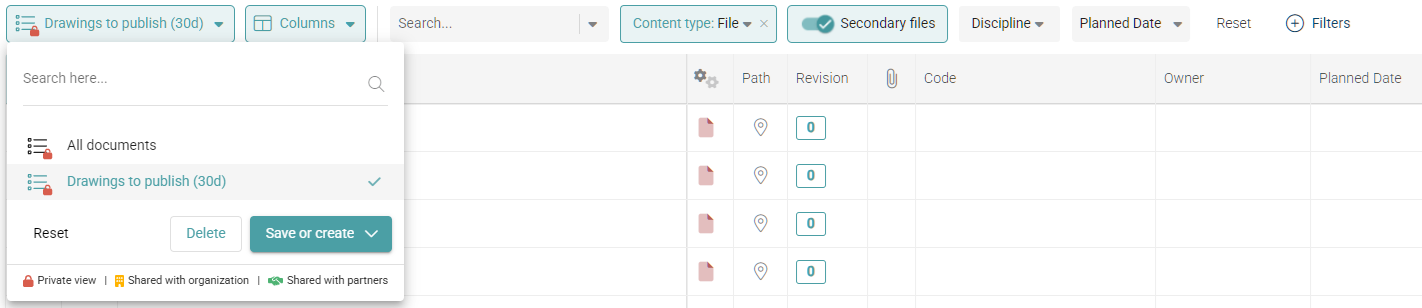
Create custom views in your lists. Cooperlink saves the filters used, the selected values, the sort order, and the column positions and sizes. Views can be shared with colleagues and/or partners.
The filter bar has also been improved to save space and make all view settings more readable. In particular, the column button has been moved to the left, in line with the views and filters.
Improvement of User filter
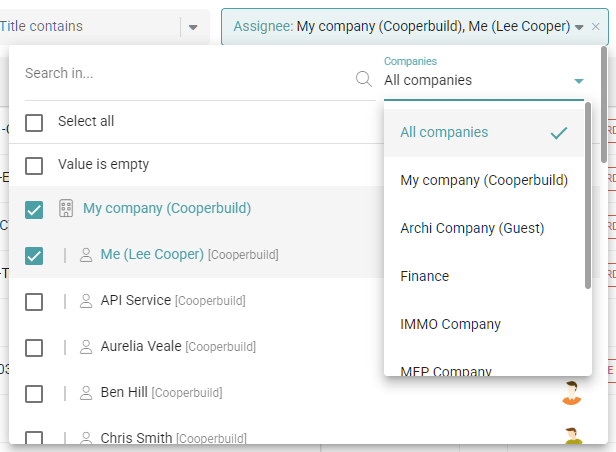
The user filter has been improved to make it easier to select predefined Me and My Company users, as well as users from a particular company.
Filter on blank / empty values
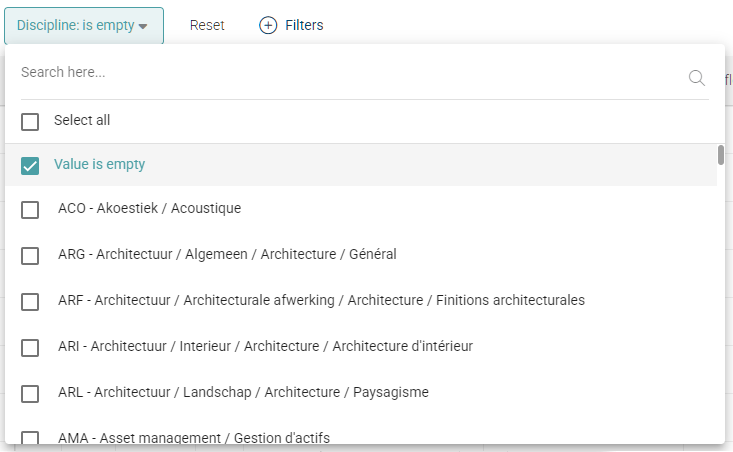
In the filters, it is now possible to filter on empty values of a custom field.
Documents
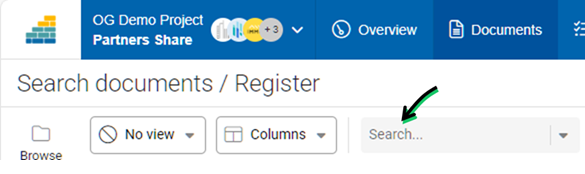
Hyper search
The Search filter allows you to search simultaneously in the title, code, and filename. If you wish to search explicitly on one of these system fields, they are available via the Add filters button.
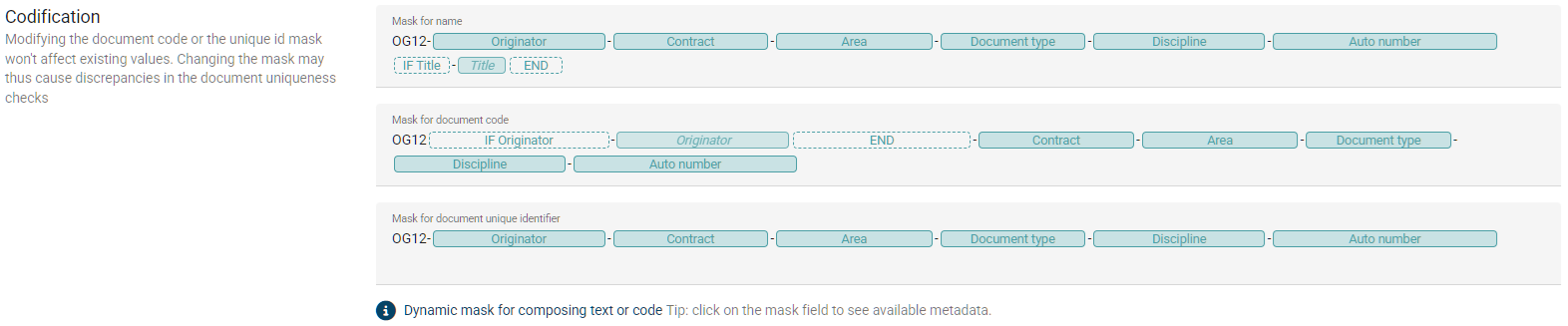
Display of naming convention
In documents settings, the visuals of the naming conventions have been improved for better visibility, especially of conditional fields.
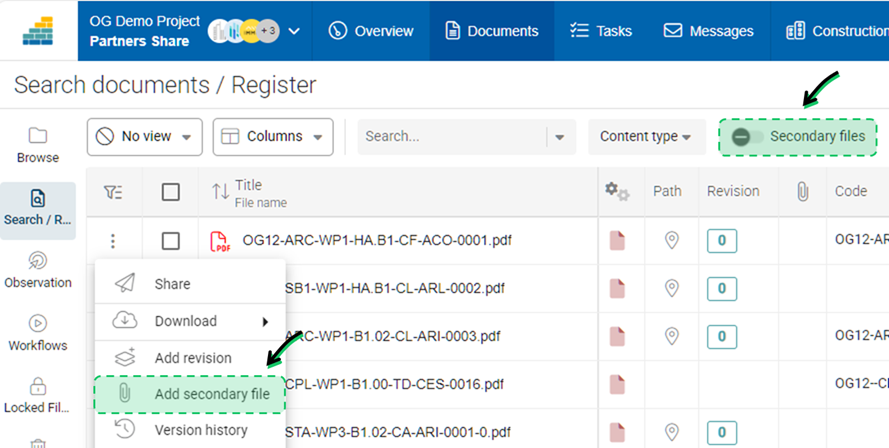
Secondary files
New features allow you to include or exclude secondary files in folders and the document registry. It is also possible to add a secondary file directly from the context menu of a primary file.
Workflows
Show approval details
Click the "Show approval details" button to see more details in the respondent columns. Specifically, you will see the assigned respondent and (left arrow) the person who may have responded on behalf of the original assignee.

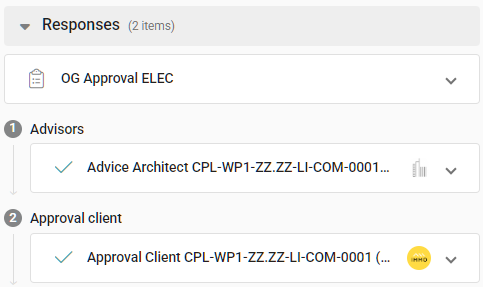
Sequence in drawer
In the workflow drawer, you now have a better overview of the workflow sequence. Responses are now grouped by workflow steps.
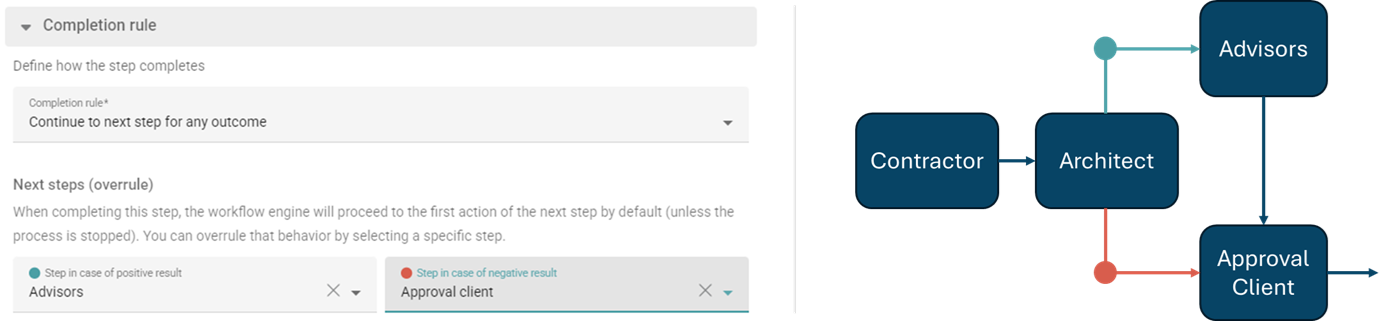
Complex workflows with multi-branches & jumps
For more complex projects, the Cooperlink engine now allows the creation of multiple branches in workflows based on the outcome of each step. By default, the workflow advances to the next step. The project admin can modify this default behavior by specifying different destination steps.
Configuration transmittal information in actions
Preset transmittal information (eg. metadata, message, reason for issue, code) directly in action. This allows you to set up different transmittal information for different actions.
Messages
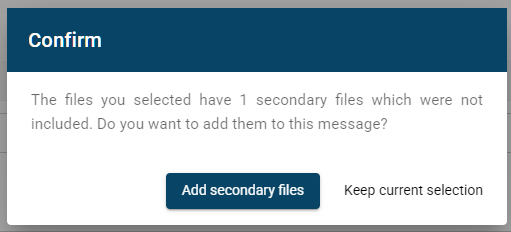
Add Secondary Files when creating a message / transmittal / portal submission
Previously, when you selected primary files with associated secondary files, the latter were not automatically included in the message (ie. transmittal or portal submission). Now, Cooperlink offers to include them automatically.
Wording for correspondence
Some terminology in the Correspondence module has been revised. You now save emails (instead of tagging them) and start automations (instead of stamps).
Settings
Reuse folder structure from workspace template
You can now reuse folder structure from your workspace template. This allows you to define a standard folder structure.
Various
Several improvements have been made to the configuration tools, including:
- The user invitation tool has been simplified and clarified. It now better distinguishes between internal and external users.
- The display of field lists has been improved, and filters are also available.
Technical
The Cooperlink technical team has made significant technical improvements, in particular:
- The server and client application have been migrated to the latest stable versions of the technical frameworks
- Query performance between the server and the database has also been improved.
- Reported bugs have been fixed.
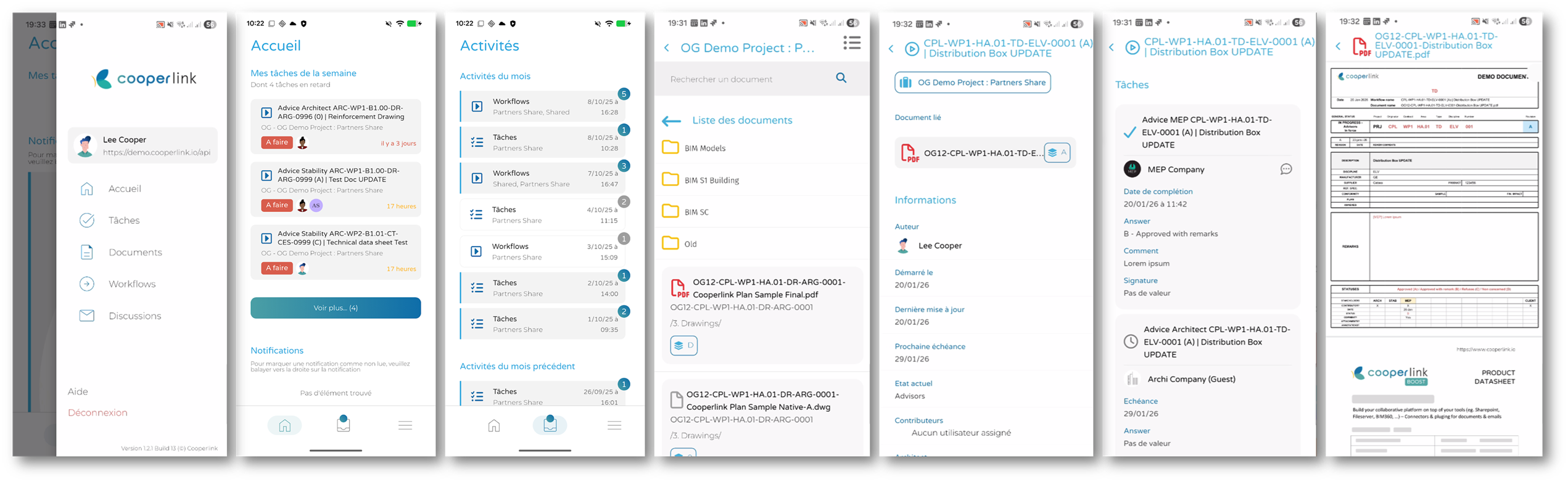
Mobile application
The iOS/Android mobile app now allows you to access tasks, documents, workflows and messages directly in your hand.
Connect
The CONNECT module allows for customized integrations for complex projects. This feature now has its own dedicated module in the desktop app.
- The execution of CONNECT tasks no longer affects application usage.
- CONNECT tasks are now independent of project library scanning routines.
- Multithreading is enabled.
- Administrators now have access to the activity log.

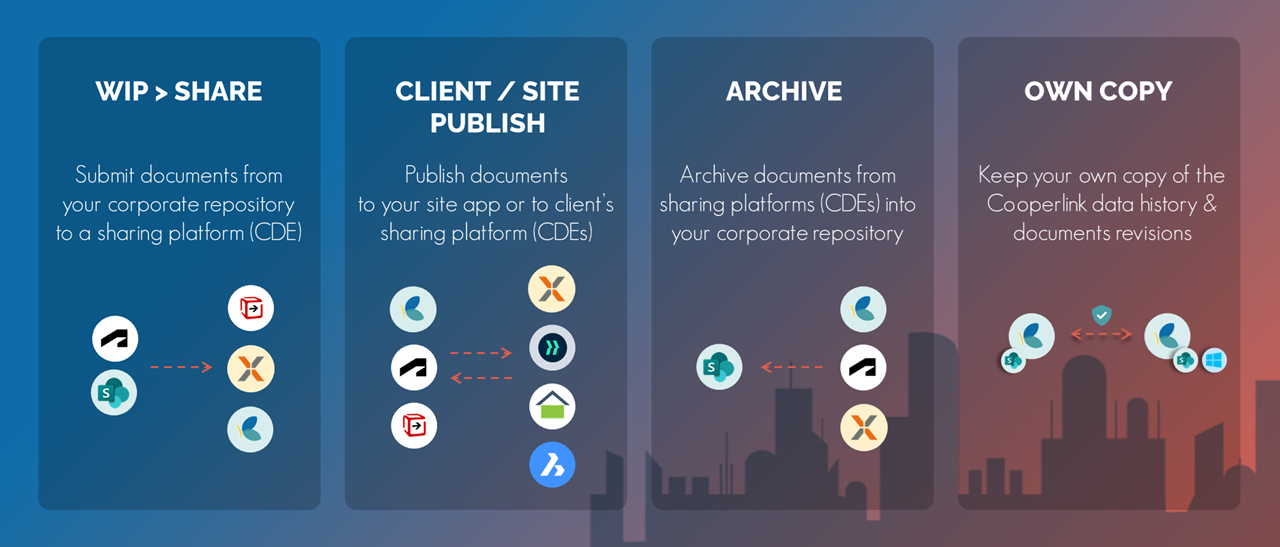
CONNECT allows to create custom and/or complex data workflows that are not provided off-the-shelf in the Construction App. Typical use cases of CONNECT are (non exhaustive):
- Sync SHARED documents from Sharepoint or Autodesk Construction Cloud (ACC) to Client CDEs (eg. Aconex, Asite, Procore, Viewpoint)
- Exchange PUBLISHED (ie. approved) documents from Cooperlink or any other CDE (eg. Aconex, Asite, ...) to Field / Site App (eg. Letsbuild, Dalux)
- ARCHIVE documents to internal corporate repository
- Keep your own copy of the Cooperlink data history & documents revisions
What is your project?
Talk to an expert
Tell us more about your project and needs. Our experts will answer your questions within 24 hours.

Axel Palmaers
CEO Cooperlink